SMS & Telegram Messaging
How Salty Panda communicates with you outside the app — what we send, how you opt in, and how to stop at any time.
SMS Text Messaging
What is SMS used for?
Salty Panda sends text messages to your registered phone number for three purposes:
- Verification codes — A one-time 6-digit code to confirm you own the phone number. Sent only when you register or re-register your number.
- Morning briefings — A daily summary with weather, calendar events, tasks, and reminders delivered each morning (Pro and Max plans only).
- Proactive reminders — Timely nudges for upcoming meetings, due tasks, and things you asked Panda to remind you about (Pro and Max plans only).
Salty Panda does not send marketing, promotional, or advertising messages via SMS. All messages are directly related to your personal assistant experience.
How to opt in
You must take three explicit steps before receiving any SMS messages:
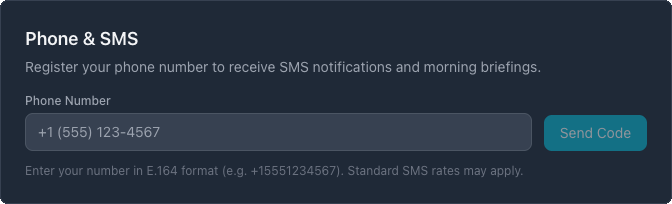
- Register your phone number. In the app at Settings > Phone & SMS, enter your phone number. You'll see a consent disclosure before submitting.
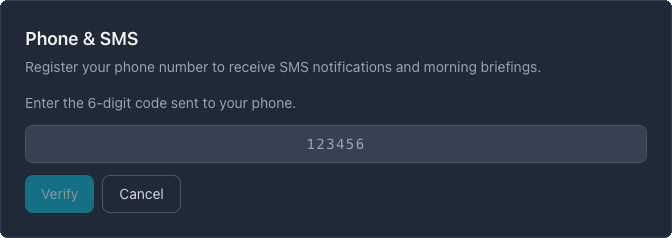
- Verify ownership. We send a one-time 6-digit verification code to the number you entered. You must enter this code in the app to confirm you own the number.
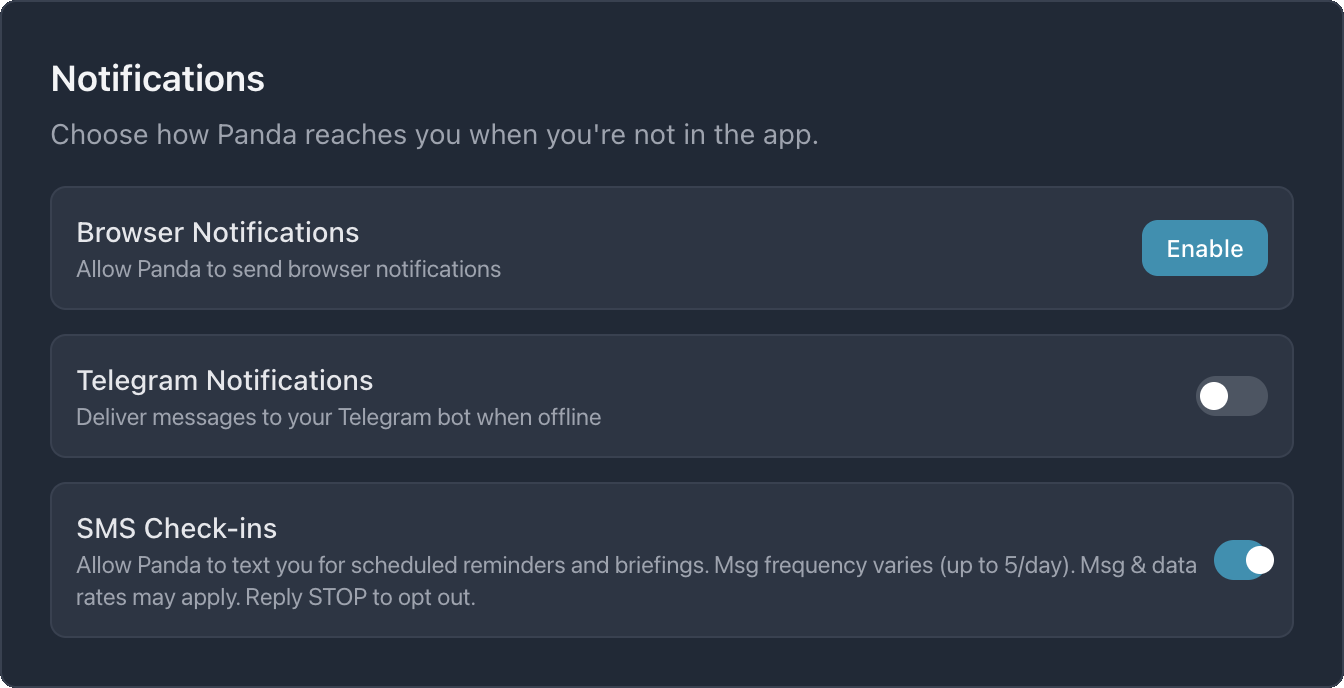
- Enable SMS notifications. After verification, toggle "SMS Check-ins" to ON in Settings > Notifications to receive briefings and reminders. This toggle is off by default.
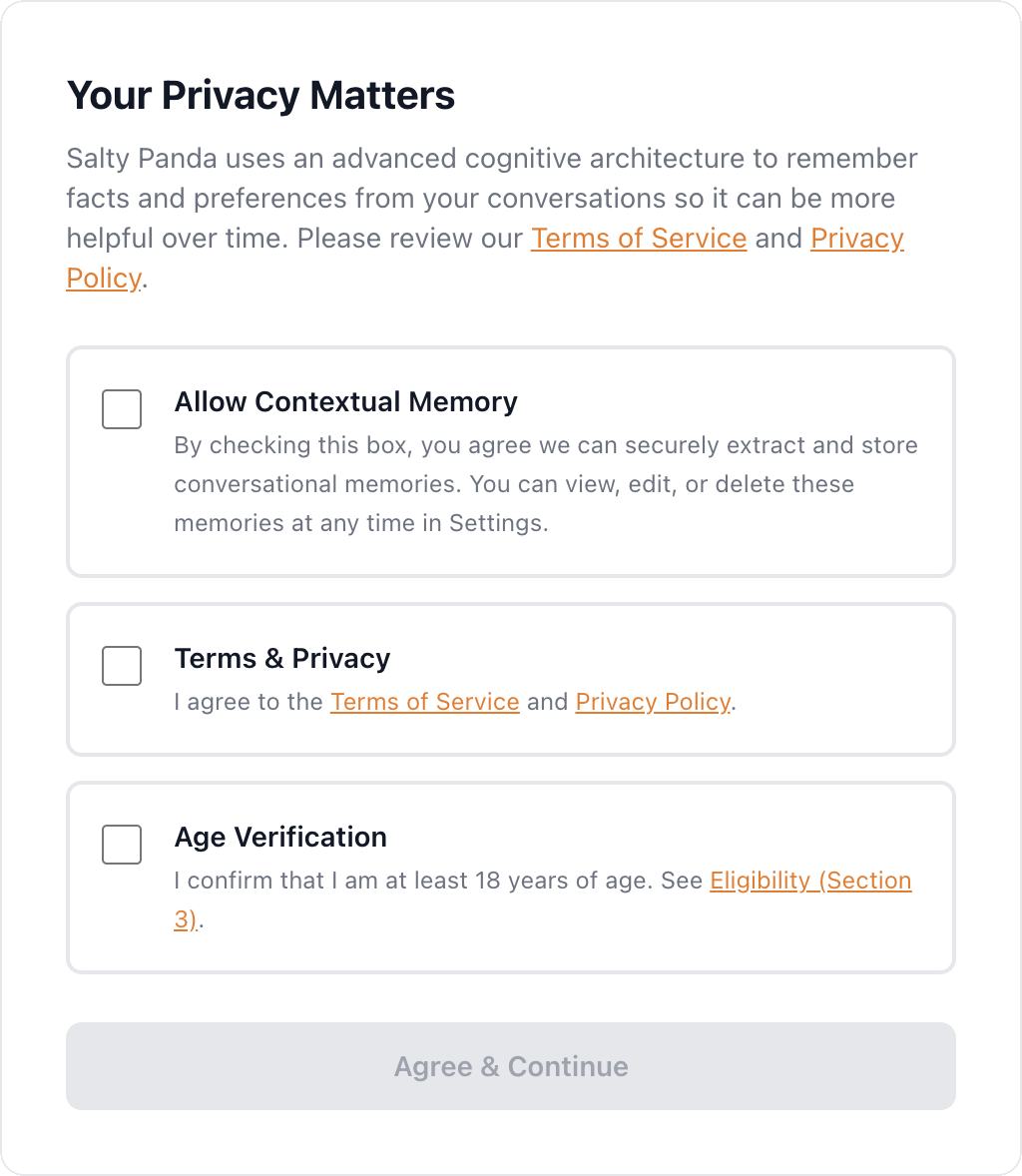
During account creation, you also agree to our Terms of Service (Section 15 covers SMS) and Privacy Policy (Section 17 covers SMS privacy).
Sample messages
Message frequency
Message frequency varies based on your plan and notification preferences:
| Plan | Verification | Briefings | Reminders | Max/day |
|---|---|---|---|---|
| Starter ($19.99/mo) | Yes | No | No | 1-2 |
| Pro ($34.99/mo) | Yes | 1/day | As needed | ~5 |
| Max ($79.99/mo) | Yes | 1/day | As needed | Up to 300 |
How to opt out of SMS:
Reply STOP, UNSUBSCRIBE, CANCEL, or QUIT to any Salty Panda text message. You'll receive a single confirmation and no further messages.
You can also remove your phone number in Settings > Phone & SMS > Remove, or disable the SMS Check-ins toggle.
To opt back in later, reply START or UNSTOP, or re-register your number in Settings.
Msg & data rates may apply. Contact your carrier for details.
Telegram Bot Messaging
What is Telegram used for?
Salty Panda offers a Telegram bot integration that lets you chat with your AI assistant directly inside the Telegram app. This gives you a second way to interact with Panda beyond the web app.
- Conversational AI — Ask questions, set reminders, get help — the same Panda experience, inside Telegram.
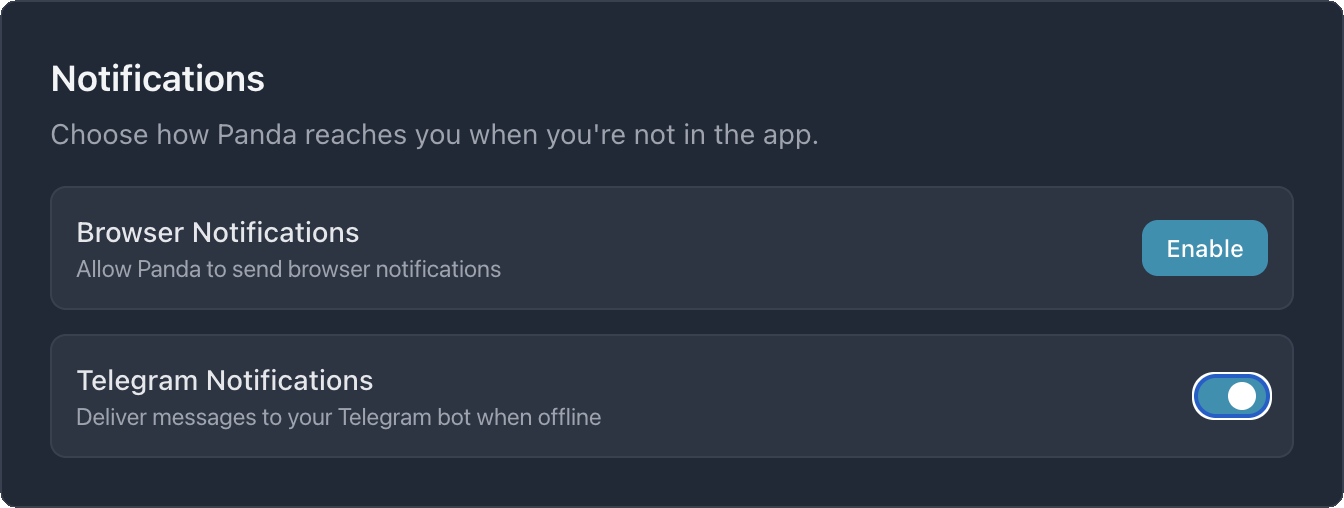
- Proactive notifications — Morning briefings, reminders, and check-ins delivered to your Telegram chat.
- Persistent context — Panda remembers your conversation history across messages, just like in the web app.
Telegram messaging is available on Pro and Max plans.
How to connect
-
Create a Telegram bot. Open Telegram and message @BotFather. Use the
/newbotcommand to create a bot and receive your bot token. - Connect in Settings. Go to Settings > Telegram in the Salty Panda app. Paste your bot token and click Connect. We verify the token with Telegram and set up a secure webhook.
- Start chatting. Open your new bot in Telegram and press Start. From that moment, every message you send to the bot goes directly to your Salty Panda assistant.
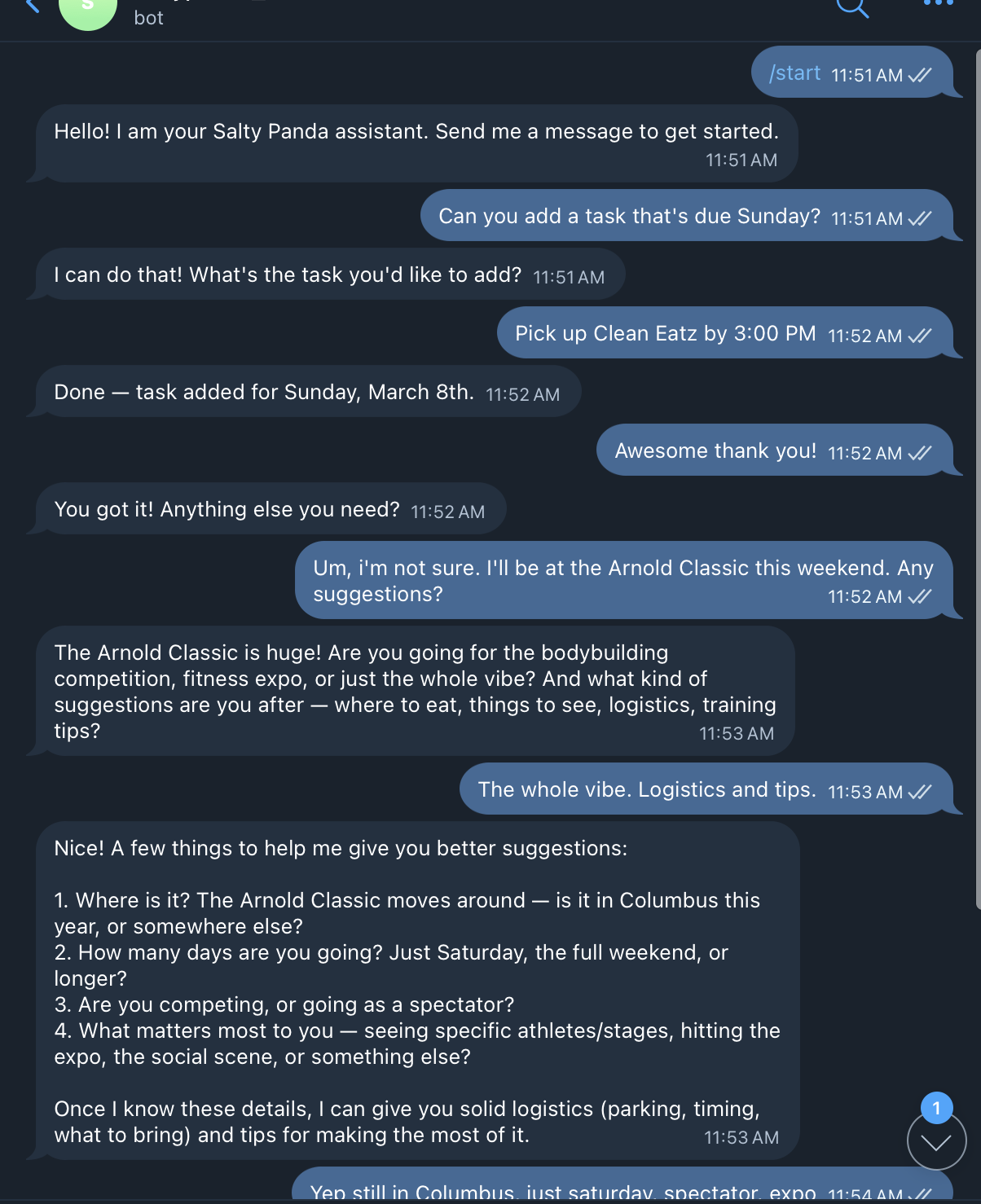
Sample messages
How to disconnect
You can disconnect your Telegram bot at any time:
- Go to Settings > Telegram and click Disconnect. This removes the webhook and deletes your bot token from our servers.
- Alternatively, you can delete or block the bot directly in Telegram.
- Once disconnected, no further messages will be sent or received through Telegram.
Your Rights & Data Privacy
What data do we store?
- SMS: Your phone number (for delivery), verification status, and notification preferences. Message content is not stored in SMS logs — only message length for usage tracking. Phone numbers are masked (last 3 digits removed) in usage logs.
- Telegram: Your Telegram chat ID (for delivery) and bot token (encrypted). Conversation messages are stored in your conversation history, same as web chat.
Security
- Bot tokens and credentials are stored encrypted using AES-256-GCM with HKDF key derivation.
- Outbound messages are automatically sanitized to remove internal IPs, file paths, database URLs, and API keys.
- Telegram webhooks are protected by a secret token validated on every request.
- All communication uses HTTPS/TLS encryption in transit.
Contact us
If you have questions about SMS, Telegram, or your messaging preferences:
- Email: support@saltypanda.com
- Reply
HELPto any SMS message for assistance
Legal documents: For full details on how we handle your data, see our Privacy Policy (Section 17: SMS Privacy) and Terms of Service (Section 15: SMS Communications).